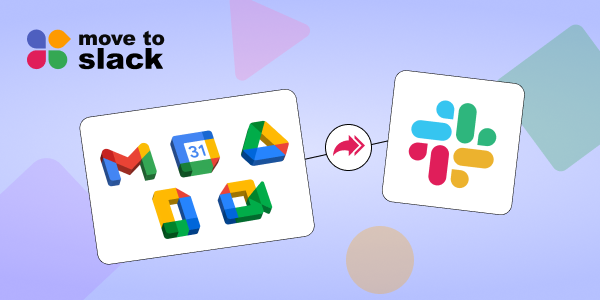
Google Workspace to Slack migration is the process of transferring communication and chat data such as Google Chat messages, files, users, and conversations into Slack while preserving structure, context, and history. This ensures teams can continue collaboration without losing important business information.
As organizations shift toward more scalable and integration-friendly platforms, migrating from Google Workspace, especially Google Chat has become a strategic move to improve productivity and communication efficiency.
Why Businesses Are Moving from Google Workspace to Slack
Businesses today are re-evaluating their collaboration tools to ensure better scalability, flexibility, and integration capabilities. While Google Workspace offers essential communication features, many teams are moving toward Slack for more advanced collaboration.
Limited Collaboration Flexibility in Google Chat
Google Chat works well for basic messaging but lacks advanced workflow automation and structured collaboration features required by growing teams. This can slow down communication efficiency over time.
Growing Need for Better Integrations
Modern teams rely on multiple tools, and Slack offers seamless integrations with CRMs, project management tools, and automation platforms, making workflows more connected and efficient.
Slack as a Scalable Communication Platform
Slack is designed for enterprise collaboration with better channel organization, searchable history, and long-term data accessibility, making it a strong Google Chat alternative.
What Data Can Be Migrated from Google Workspace to Slack
Before starting a Google Workspace migration, it is essential to understand what data can be transferred to ensure continuity and avoid data loss.
- Google Chat Messages and Conversations: All direct messages and group conversations can be migrated to Slack while preserving timestamps and message flow for continuity.
- Shared Files and Attachments: Documents, images, and files shared in Google Chat can be securely transferred, ensuring teams retain access to important resources.
- Users and Permissions: User accounts and roles can be mapped accurately to Slack, maintaining team structure and access control.
- Channels and Conversation Structure: Chat spaces can be recreated as Slack channels, ensuring organized communication without disruption.
Step-by-Step Process for Google Workspace to Slack Migration
A structured migration approach ensures minimal disruption and maximum efficiency. Following a step-by-step process helps organizations transition smoothly.
- Audit Your Google Workspace Data: Start by analyzing users, messages, files, and chat spaces to understand the scope of migration. This helps identify what needs to be transferred and what can be archived.
- Define Migration Strategy: Decide whether to migrate all data or only critical communication. A phased approach can reduce risk and ensure better control.
- Choose the Right Slack Migration Tool: Using a purpose-built Slack migration tool ensures automated, accurate, and secure data transfer compared to manual processes.
- Map Users and Channels: Ensure proper user mapping and channel structuring so that conversations are aligned correctly in Slack.
- Test Migration with Sample Data: Run a pilot migration to identify potential issues and validate data accuracy before full migration.
- Execute Full Migration: Perform the complete migration with minimal downtime while ensuring all data is transferred securely.
- Validate and Optimize: After migration, verify data integrity and optimize Slack workspace for better collaboration.
Common Challenges in Google Chat to Slack Migration
While migration offers significant benefits, organizations often face challenges that can impact the process if not addressed properly.
- Incorrect mapping of users and channels can disrupt communication flow and create confusion among teams.
- Without the right tools, some messages, files, or attachments may not migrate completely.
- Poor planning can lead to downtime, affecting team productivity during migration.
- Handling sensitive data during migration requires secure processes to maintain compliance and avoid data breaches.
Why Slack is a Better Alternative to Google Chat
Slack offers a more advanced and flexible collaboration environment compared to Google Chat, making it ideal for modern teams.
Advanced Collaboration Features
Slack supports threaded conversations, channel organization, and workflow automation for efficient communication.
Powerful Integrations
It integrates with tools like CRM systems, project management platforms, and automation tools, improving overall productivity.
Searchable and Persistent Data
Slack ensures long-term access to communication history, making it easier to retrieve past information.
How Move to Slack Simplifies Google Workspace Migration
For organizations looking for a reliable solution, Move to Slack provides a seamless and automated migration experience.
Complete Migration of Chat History, Files, and Users
Move to Slack ensures full Google Workspace to Slack migration by transferring all messages, files, and users while maintaining data integrity and business continuity.
Preserves Structure and Context
All conversations, threads, timestamps, and attachments are preserved, ensuring teams can continue working without confusion.
Accurate User and Channel Mapping
The platform intelligently maps users and channels to maintain communication structure and avoid mismatches.
Secure and Automated Migration Process
Automation reduces manual effort, minimizes downtime, and ensures secure data transfer throughout the migration.
Make Your Google Workspace to Slack Migration Seamless with Move To Slack
Google Workspace to Slack migration is more than just a technical transition, it’s a strategic move toward better collaboration, scalability, and efficiency. With the right approach, tools, and planning, organizations can ensure a smooth transition without losing critical data.
If you are planning to migrate your Google workspace, choosing a reliable Slack migration tool like Move to Slack can help you eliminate risks, automate the process, and ensure complete data preservation.
Ready to move to Slack?
Make your migration seamless, secure, and efficient with Move to Slack and transform the way your team collaborates.